Assignments > Tutorial 6b: Arrays & Template Literals Exercise
Due Mon, 03/02 at 11:59pm
1. Setup
- Create a
tutorial06folder (if you haven’t already). - Within
tutorial06, create another folder called02-item-listfolder for this exercise - Within
02-item-list, create three files:index.htmlstyles.cssscript.js.
What This Exercise Practices
- Creating and working with arrays
- Using
forloops to iterate through arrays- Using template literals (backticks) to create HTML strings
- Selecting DOM elements with
document.querySelector()- Using
innerHTMLto clear element content- Using
insertAdjacentHTML()to add HTML to the DOM
Starter HTML Code
Copy the HTML starter code into index.html:
<!DOCTYPE html>
<html lang="en">
<head>
  <meta charset="UTF-8" />
  <meta name="viewport" content="width=device-width, initial-scale=1.0" />
  <title>Item List</title>
  <link rel="stylesheet" href="styles.css" />
  <script src="script.js" defer></script>
</head>
<body>
  <div class="container">
    <h1>My Items</h1>
    <ul id="itemList"></ul>
  </div>
</body>
</html>
Starter CSS Code
body {
  font-family: Arial, sans-serif;
  padding: 20px;
  background-color: #f4f4f4;
}

.container {
  max-width: 400px;
  margin: 0 auto;
  background: white;
  padding: 20px;
  border-radius: 8px;
}

#itemList {
  list-style: none;
  padding: 0;
}

#itemList li {
  padding: 12px;
  background-color: #f9f9f9;
  margin-bottom: 8px;
  border-radius: 4px;
  border-left: 4px solid #4CAF50;
}
2. JavaScript Tasks
Your job is to write the JavaScript functionality from scratch so that your application displays all items from an array in a list.
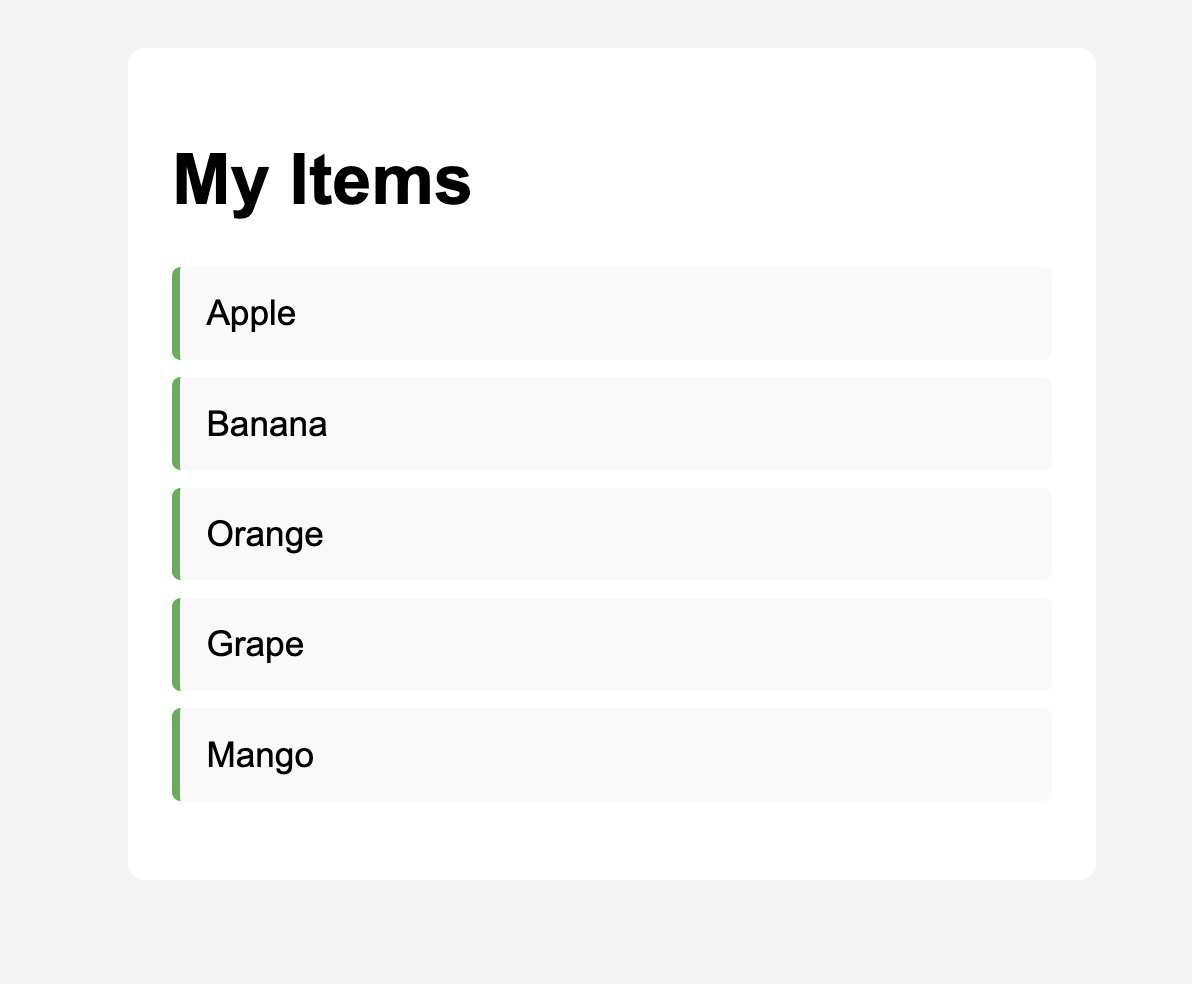
Please refer to the JavaScript Cheatsheet at the bottom of the page, which lists all of the relevant JavaScript language features that you will need to complete the assignment.
1. Create an array and select the list element
At the top of your JavaScript file:
- Create a
constarray calleditemswith at least 5 string values (e.g.,['Apple', 'Banana', 'Orange', 'Grape', 'Mango']). - Use
document.querySelector()to select the#itemListelement and store it in aconstvariable.
Tip: You can check if it worked by printing the array and element to the console using
console.log(items)andconsole.log(itemList). View the console in the browser inspector.
2. Create a function to display items
Create a function called displayItems() that:
- Clears the
itemListelement by setting itsinnerHTMLto an empty string (''). - Uses a
forloop to iterate through theitemsarray (from index0toitems.length). - Inside the loop:
- Use template literals (backticks) to create an HTML string for each list item
- Add the HTML string to the
itemListelement
Tip: Template literals use backticks (
`) instead of quotes, and allow you to embed expressions using${...}. Examples:
${ myVar }${ 2 + 2 }${ Math.random() * 5 }${ myVar.toString().toUpperCase() }
3. Call the function
At the bottom of your JavaScript file, call displayItems() to initialize the list when the page loads.
JavaScript Cheatsheet
Here’s a list of JavaScript language features you’ll need to complete this exercise:
| Concept | Example |
|---|---|
| Arrays |
|
| For Loops |
|
| Template Literals |
|
| DOM Selection |
|
| innerHTML |
|
| insertAdjacentHTML |
|
| Functions |
|
Test
Verify that all items from the array appear in the list when you open the page in your browser.