Assignments > Theme Switcher
Assignments > Tutorial 5a: Theme Switcher
Due Mon, 02/23 at 11:59pm
Goal
Use JavaScript to change the <body> class when a user clicks theme buttons.
Task
Open 01-theme-switcher/styles.css and scroll to the theme classes (ocean, desert, and high-contrast).
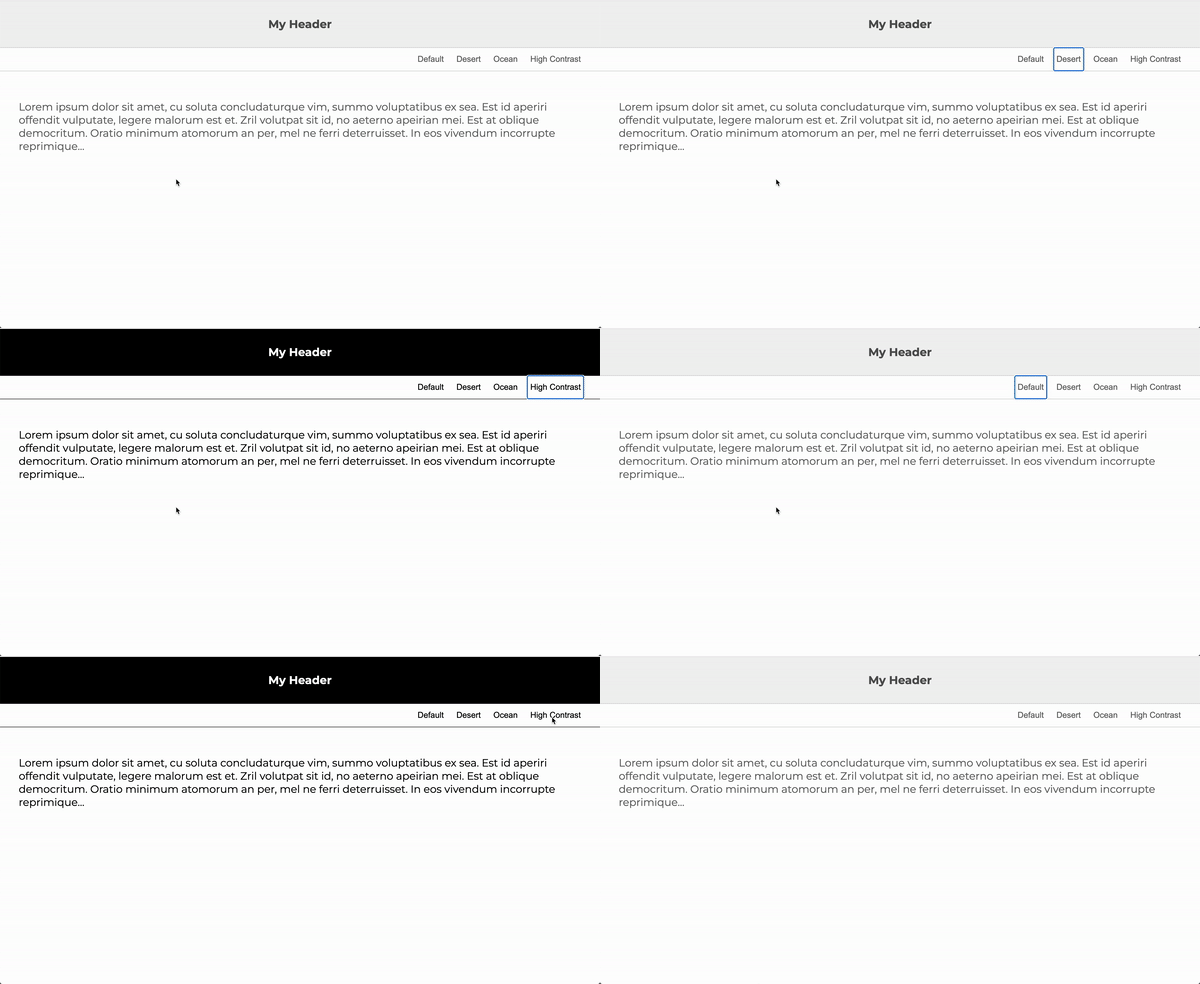
Your job is to make the buttons dynamically change the page theme so it behaves like this:
Hints
- In
index.js, create a function namedchangeClass()that takes one parameter (the class name). - In
changeClass(), useclassListmethods to set the<body>class to the class name you receive. - If the
defaultbutton is clicked, remove all classes from the body (you may need to remove multiple classes). - Attach your
changeClass()function to each button’s click event.
Optional
Create your own custom theme class in styles.css and add a new button that applies it.
Quick Cheatsheet: classList
// Add one class
element.classList.add('ocean');

// Add multiple classes
element.classList.add('ocean', 'rounded', 'dark');

// Remove one class
element.classList.remove('ocean');

// Remove multiple classes
element.classList.remove('ocean', 'desert', 'high-contrast');

// Toggle class (add if missing, remove if present)
element.classList.toggle('high-contrast');

// Check if a class exists
element.classList.contains('ocean'); // true / false

// Replace one class with another
element.classList.replace('ocean', 'desert');